Make Warehance part ofthe system you already run.
Use the Warehouse API to connect your order, inventory, fulfillment, or 3PL systems to the data and workflows your team already operates in Warehance. Create a scoped key, choose the resource families you need, and build around the response contract your integration can actually handle.
Request a demo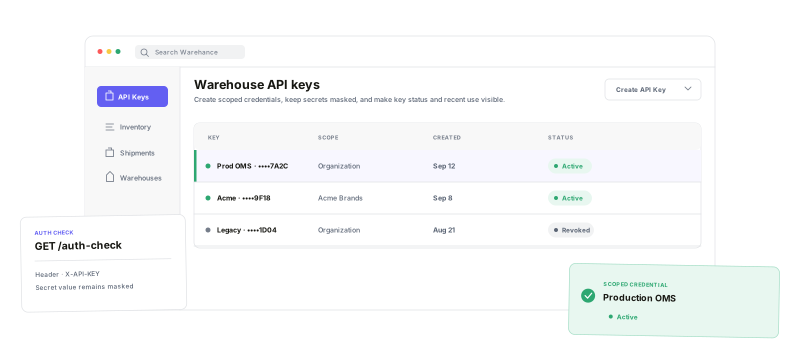
Keep access scoped, resources explicit, and responses observable as your integration moves from a first request to daily operations.
Scope the key
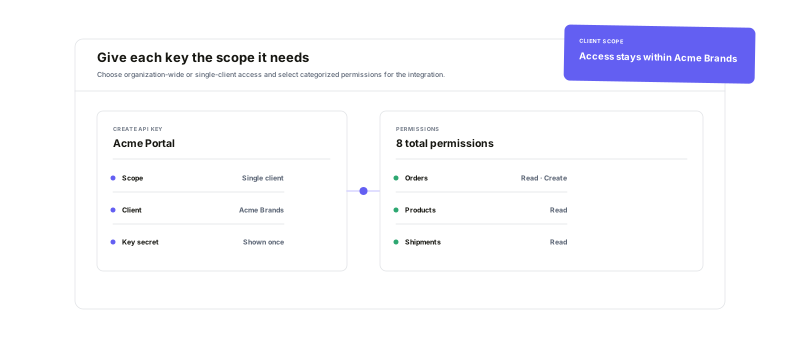
Choose organization-wide or single-client access, then select categorized permissions.
Use warehouse resources
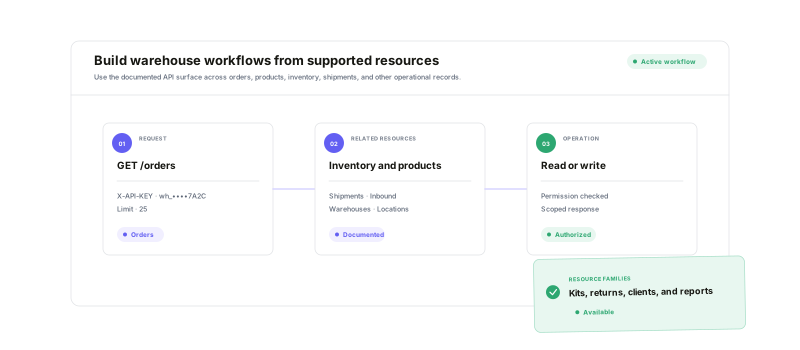
Read and write supported orders, products, inventory, shipments, inbound, returns, kits, and more.
Page the large lists
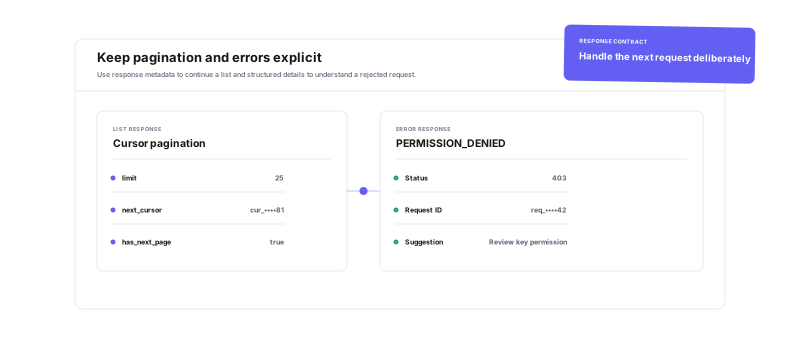
Use limit, offset, or cursor patterns supported by the endpoint, with next_cursor and has_next_page where available.
See what happened
Inspect request logs, status codes, durations, call counts, and success or error rates for a key.
Give each integrationonly the access it needs.
Create a named API key in Settings > API Keys, choose Organization-wide (all clients) or Restrict to a single client, then select categorized permissions. Client-level keys are automatically scoped to their client; organization-level operations still apply endpoint-specific client and ownership rules. The generated secret is shown once—store it securely and never place it in a browser bundle or public repository.
Connect the recordsyour operations already depend on.
The public contract covers the warehouse objects an integration usually needs: products and orders, inventory and inventory history, shipments and inbound shipments, returns, clients and stores, warehouses and locations, shipping methods, billing, kits, cycle counts, users, and reports. Use supported writes where your workflow needs to create or update records, and keep channel-specific marketplace OAuth in its own integration layer.
Build for the response—including the unhappy path.
For list work, keep the endpoint's pagination mode explicit: limit can be 1–100, offset and cursor cannot be combined, and cursor-enabled responses return next_cursor plus has_next_page. When a call fails, retain the request ID and inspect the structured code, message, suggestion, and documentation URL. Handle RATE_LIMIT_EXCEEDED without assuming a public numeric limit, and use auth-check when you need to verify key access.
Warehouse API questions
Connect the systems behind your warehouse
Start running your warehouse operations with Warehance today and experience complete freedom to grow your business without compromise.
