Connect every channelto one fulfillment workflow.
Connect stores and marketplaces through the setup each channel expects, bring supported order and product data into Warehance, map inventory deliberately, and keep shipment updates moving back through the integration path. Then inspect the sync history when a run needs attention.
Request a demo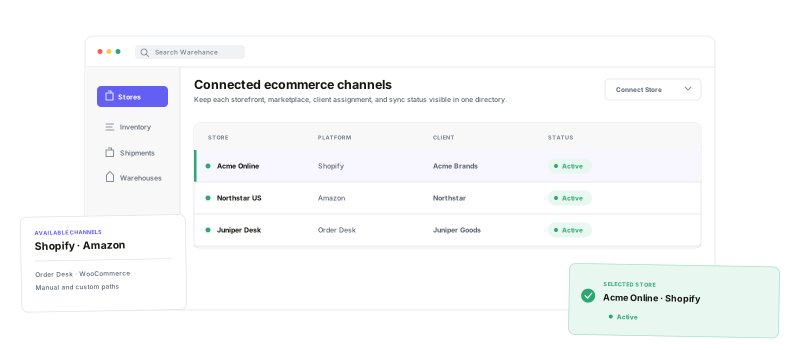
Keep channel setup, client assignment, inventory rules, and sync visibility in the same operational system.
Channel choice
Connect native platforms, marketplaces, manual stores, and Order Desk paths from Stores.
Client-aware setup
Associate a store with the right client while you connect it.
Inventory controls
Map locations and warehouses, then tune per-store inventory exposure.
Inspectable syncs
See status, timing, errors, and supported manual sync actions in one place.
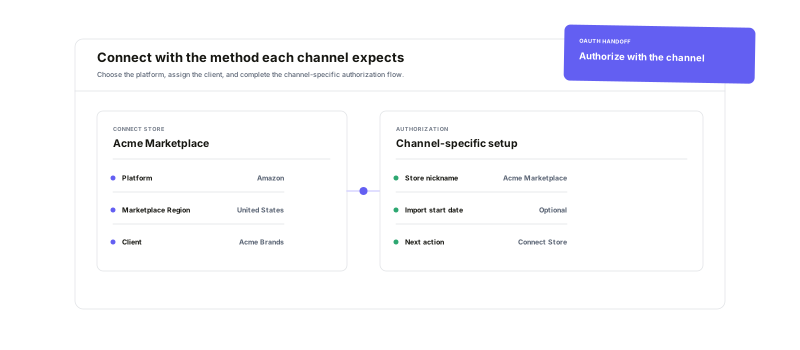
Connect with the methodeach channel expects.
Start in Stores, choose a platform, and complete the channel-specific form. Native connections can send you through OAuth; other paths may use API credentials, a store identifier, a manual store name, or an upstream service such as ShipStation or Order Desk. For 3PLs, select the client when the flow asks for it.
Map the inventory pathbefore you turn it on.
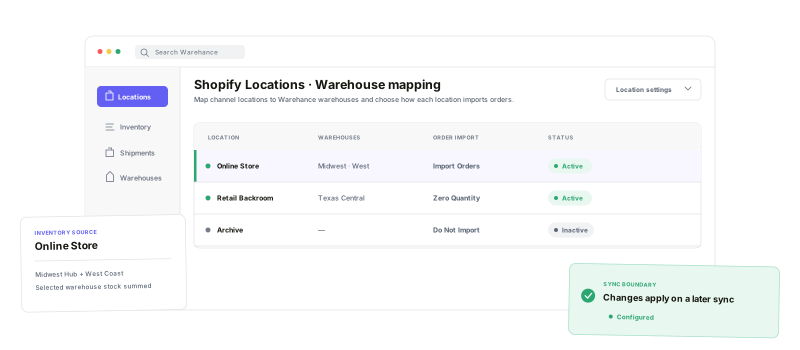
For Shopify, choose which Warehance warehouses feed each location and decide what to do with orders assigned there. Import Orders for normal fulfillment, Do Not Import when another location owns the work, or Import with Zero Quantity when you need visibility without pick quantities. Per-store inventory buffers add another guardrail for what a marketplace sees.
See every sync run—and the errors with it.
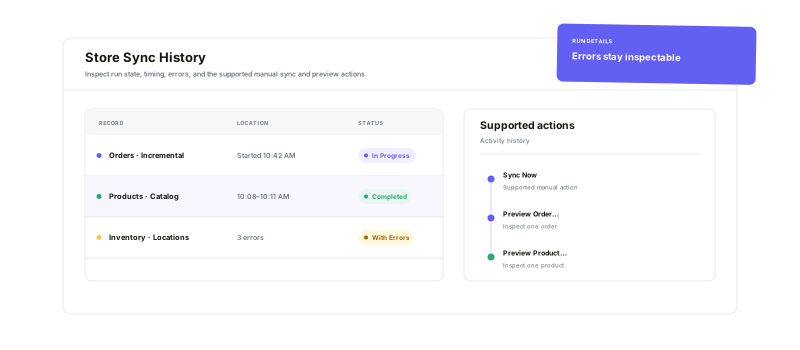
Open a sync-enabled store to review Sync History by status, timestamps, duration, and error count. Where the channel supports it, run Sync Now, preview an order or product, or choose a custom range or identifier. When a run needs attention, expand the details and start from the reported error instead of guessing.
Ecommerce integration questions
Bring every channel into a workflow your warehouse can run
Start running your warehouse operations with Warehance today and experience complete freedom to grow your business without compromise.
