Prepare customs datainside the fulfillment flow
Build reusable rules for declared values, descriptions, weights, HS codes, origin, currency, and export details. Warehance applies the right active configuration, validates the data you require before label creation, and shows whether a supported carrier handled documents electronically or needs paperwork from the packer.
Request a demo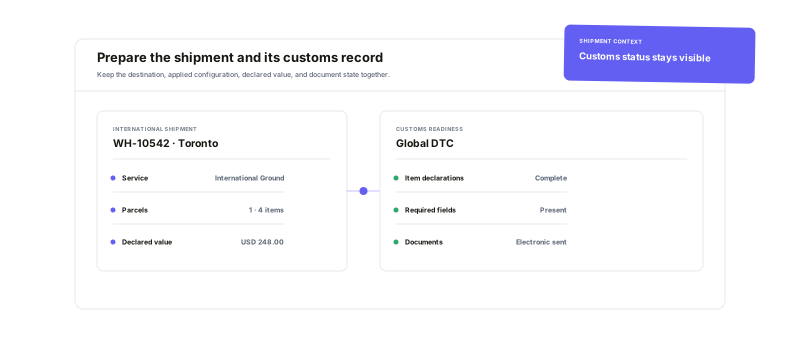
Define where declaration fields come from, verify what was applied, and keep carrier-specific document steps in the shipping workflow.
Reusable customs rules
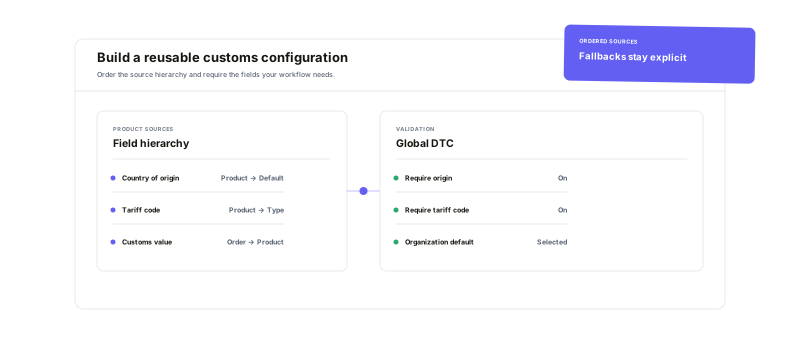
Control the sources and fallbacks used for each declaration field.
Item-level customs data
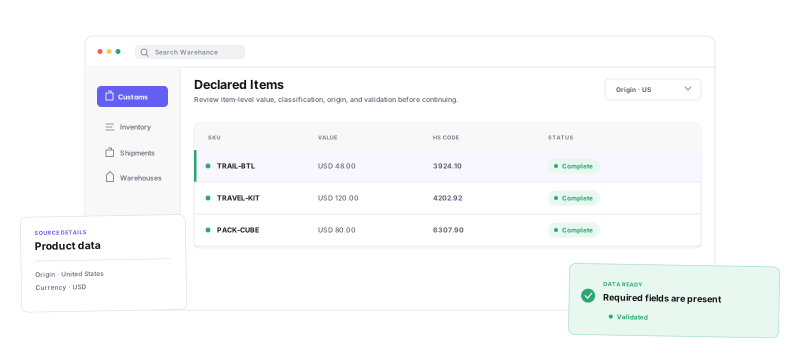
Keep origin, HS code, value, and description with the product or order item.
Pre-label validation
Stop label creation when required declaration data is missing.
Visible document handoff
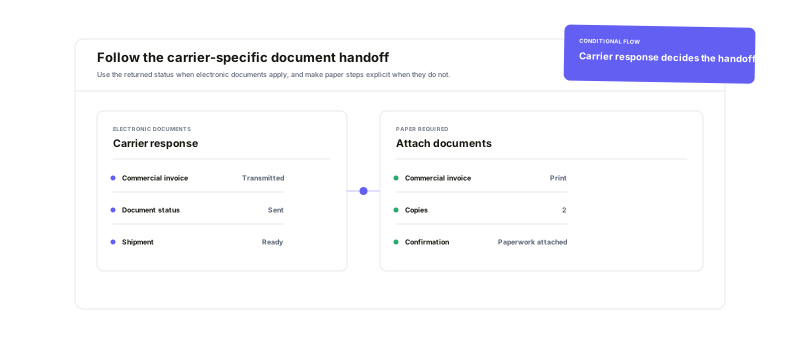
See whether the carrier transmitted documents or the packer must attach paper.
Define the declaration logic once.Reuse it where it fits.
Order each data source by priority for values, descriptions, weights, origin, tariff codes, currency, contents type, and non-delivery instructions. Select an active organization default for the standard path, then choose a different configuration on an order when its declaration rules need to differ.
See the customs recordbefore the shipment leaves
Store origin, tariff code, value, and customs description on product records, and use order-level settings for shipment-specific details. Optional strict rules can stop label creation when required item data is incomplete. After purchase, the shipment keeps the applied configuration, declaration values, and source details visible for review.
Make the carrier's document resultclear to the packer
When supported carrier responses confirm electronic transmission, Warehance tells the team that no paper customs documents are needed. When paper is required, it surfaces the available commercial invoices, prints the returned copy count when provided, and waits for attachment confirmation before the packer continues. Behavior varies by carrier and shipment.
International shipping and customs questions
Bring customs preparation into the shipping workflow
Start running your warehouse operations with Warehance today and experience complete freedom to grow your business without compromise.
