Know exactly which lotis moving through your warehouse
Capture lot identity when stock arrives, keep the lot and expiration visible at each location, verify the physical lot during fulfillment, and review the record behind the inventory.
Request a demo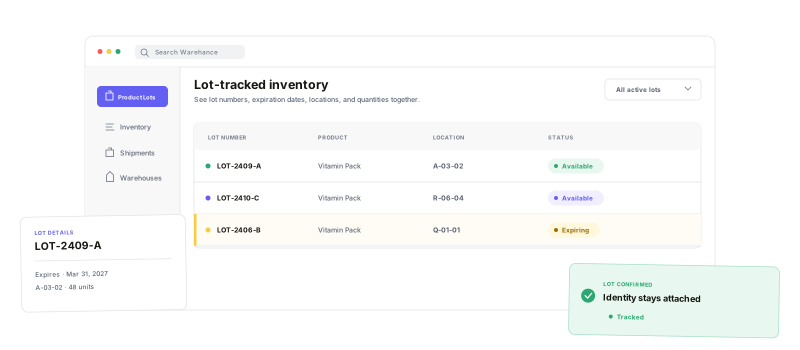
Make the lot visible where inventory is received, stored, picked, packed, and reviewed.
Product-level control
Require lot handling only for the products that need it.
Receiving capture
Select or create the lot while the product is being received.
Expiration-aware availability
Keep expired stock visible on hand without treating it as available.
Fulfillment verification
Confirm the expected physical lot before the item moves on.
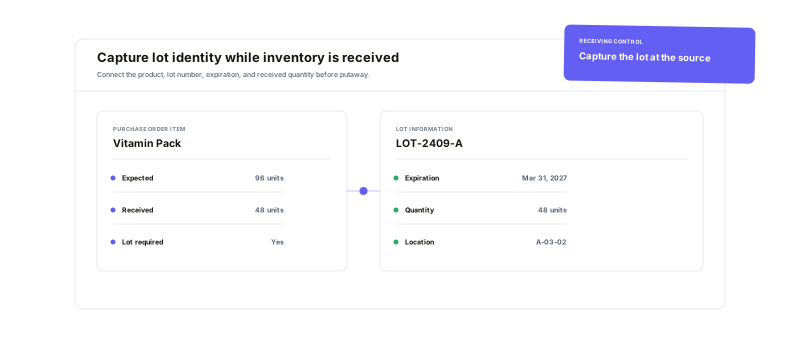
Capture the lotat first touch
Mark the products that require lot control, then select or create the right lot in the receiving flow. Operators can see the lot code or expiration, current quantity, and whether the inbound line is locked to a specific lot before inventory moves deeper into the warehouse.
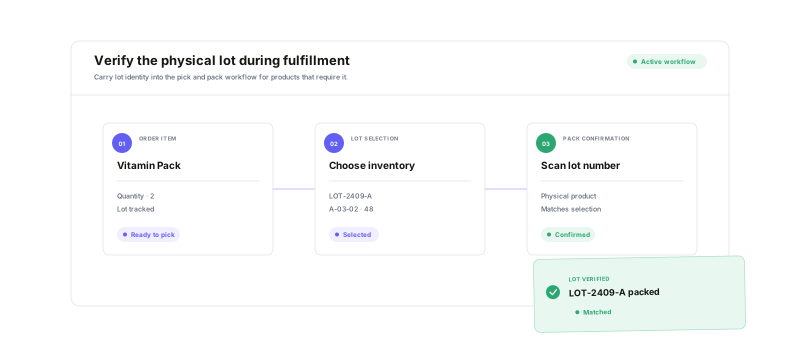
Verify the physical lotbefore the item moves on
Show pickers the expected lot, expiration, and location for the item in front of them. Use lot confirmation during picking and, when packing confirmation is enabled, require the packer to scan or type the same lot before the item can proceed.
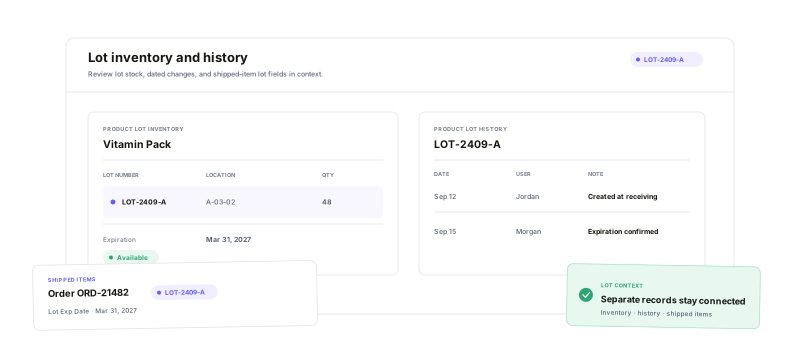
Find the lot.Keep the record.
See the lot number and expiration beside each warehouse location and quantity. Review dated, user-attributed Product Lot History, follow lot fields through Inventory History, and filter the Shipped Items report by lot number or expiration date.
Lot tracking questions
Carry the right lot through every warehouse step
Start running your warehouse operations with Warehance today and experience complete freedom to grow your business without compromise.
