Know what every order iswaiting on
Give each order a clear business stage, keep operational readiness and fulfillment progress visible beside it, and open the reason when work cannot move forward. Warehance helps the team separate what an order means from what the warehouse can do next.
Request a demo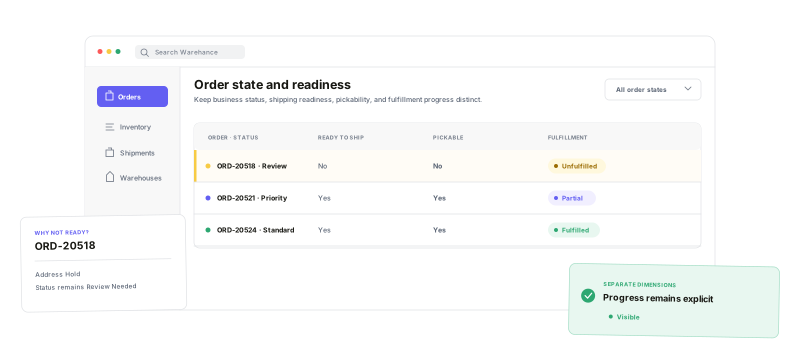
Keep the team's stage, operational eligibility, and fulfillment progress visible without collapsing them into one ambiguous status.
Custom Status
Name the business stage your team needs to see and manage.
Ready to Ship
See whether the order currently meets fulfillment requirements.
Pickable
Separate picking eligibility from the broader ready-to-ship decision.
Fulfillment Status
Track whether work is unfulfilled, in progress, partial, complete, or cancelled.
Name the stageyour operation understands
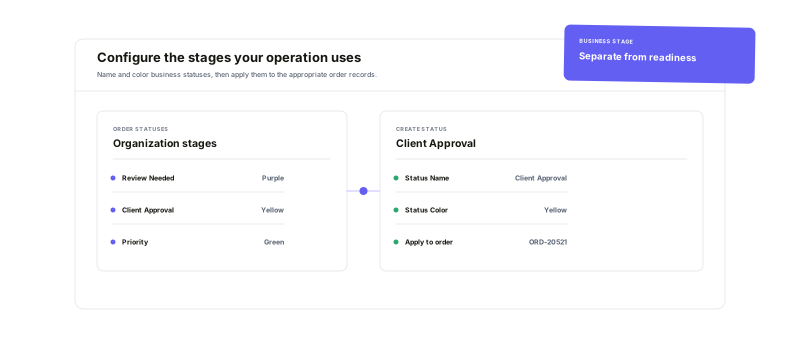
Create color-coded order statuses for the business stages your team needs to coordinate, then apply a status from Order Details or across a selected set with Bulk Edit. The label stays deliberately separate from system-calculated readiness and fulfillment progress.
See the stateand the reason behind it
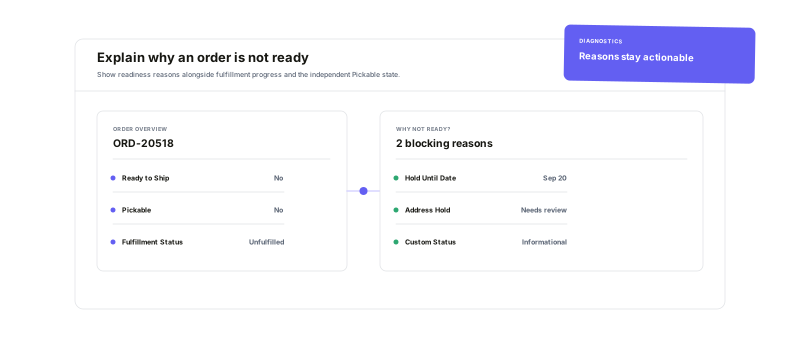
Ready to Ship, Pickable, and Fulfillment Status answer different operational questions. When reason data is available, open the diagnostic directly from the order or the queue to understand a blocked shipment, a picking exception, or work that remains in progress.
Turn every state intoa workable queue
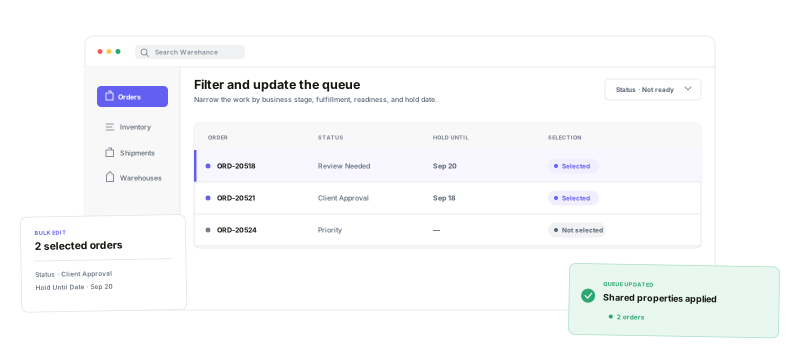
Filter by the team's Status, system Fulfillment Status, Ready to ship, Pickable, or Hold Until Date to isolate the next set of orders. Then update Status or schedule a Hold Until Date for selected orders in one bulk action. A future hold pauses picking and shipping while preserving allocated inventory and leaving fulfillment status unchanged.
Order status workflow questions
Make every order state clear and actionable
Start running your warehouse operations with Warehance today and experience complete freedom to grow your business without compromise.
