Catch tracking that hasgone quiet
Bring shipments with stale or missing tracking activity into one investigation view. Set the lookback and stale thresholds, start with the oldest records, and keep order, shipment, carrier, destination, and last-event context together.
Request a demo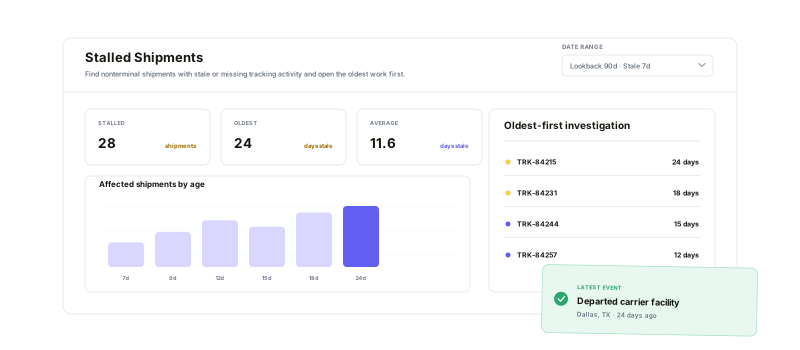
Define what stale means, see where the exceptions concentrate, and move from the report to the shipment records your team can investigate.
Your time windows
Set the shipment lookback and tracking-staleness threshold together.
A clear stale clock
Measure from the latest tracking event, with shipment creation as the fallback.
Operational patterns
Compare the stalled set by carrier, service, destination, and age.
Filtered output
Export the current query or configure a recurring Stalled Shipments Export.
Define the silencethat counts
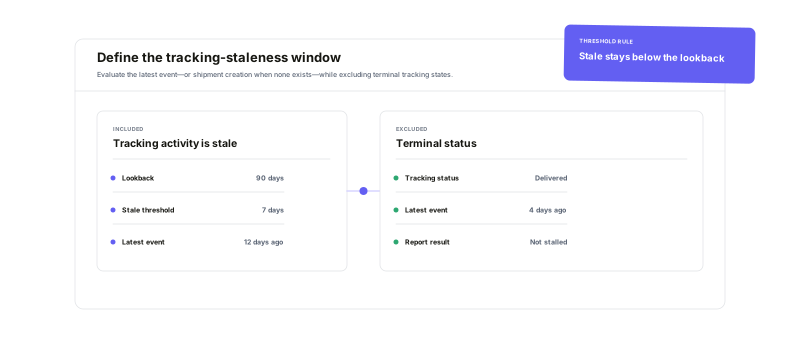
Choose how far back to inspect and how many days without tracking activity should qualify. Warehance checks shipment age, the latest tracking-event time, and terminal tracking status together—so a delivered or otherwise terminal shipment does not stay in the stalled set.
See where trackingstalls most often
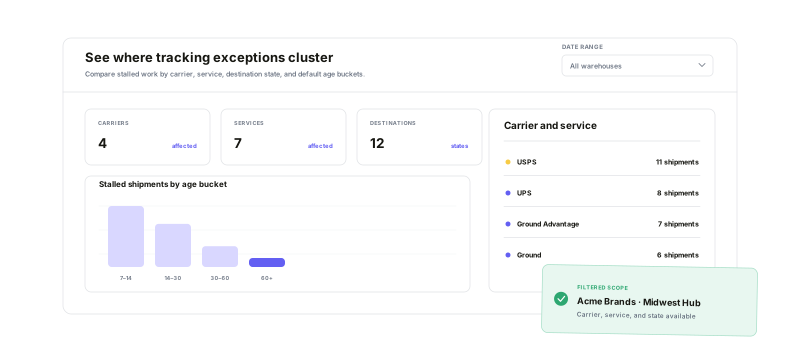
Compare the current stalled set by carrier, service, destination state, and age bucket. Narrow the report by client, warehouse, store, carrier, destination, or exclusion state while the KPI strip keeps the affected count, oldest age, average stale age, and share of lookback volume visible.
Open the recordwith the context intact
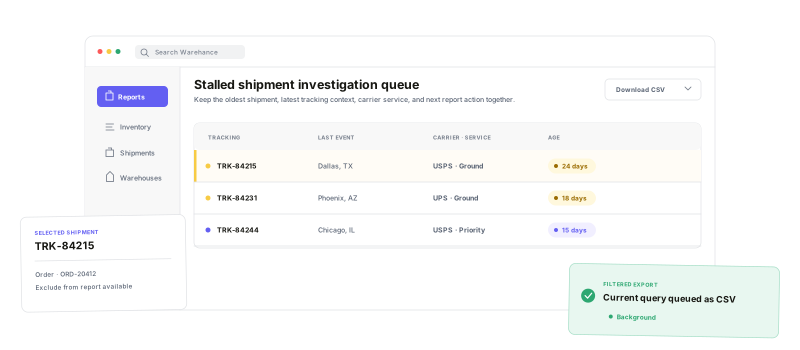
Start with the oldest stale records, review the latest tracking detail and location, and open the related order, shipment, or carrier tracking page when available. Exclude an intentional exception when you have shipment-update access, download the current filtered query, or schedule the same report family for recurring review.
Stalled Shipments questions
Give stale tracking a clear place to investigate
Start running your warehouse operations with Warehance today and experience complete freedom to grow your business without compromise.
