Put recurring bill generationon a controlled schedule
Choose the Billing Profile, client scope, exact run time, and exact period to bill. Warehance creates a bill for each included client on schedule, leaving successful generations in Draft for review or approving them only when Auto-Approve is explicitly enabled.
Request a demo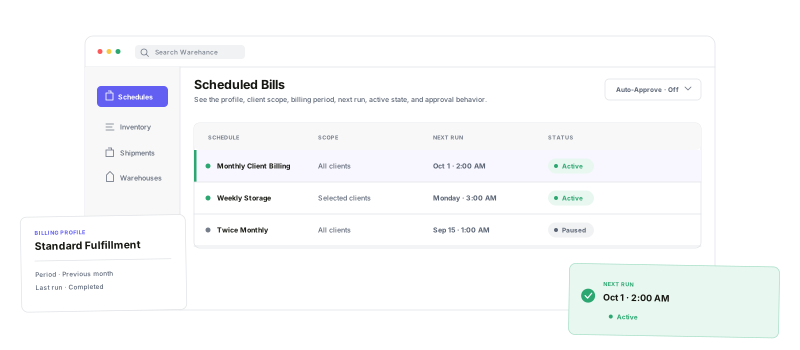
Define who is billed, when the schedule runs, what period it covers, and how approval should work.
Profile-defined billing
Use one selected Billing Profile for every bill the schedule creates.
All or selected clients
Cover the whole client base or a deliberate client list.
Timing and period control
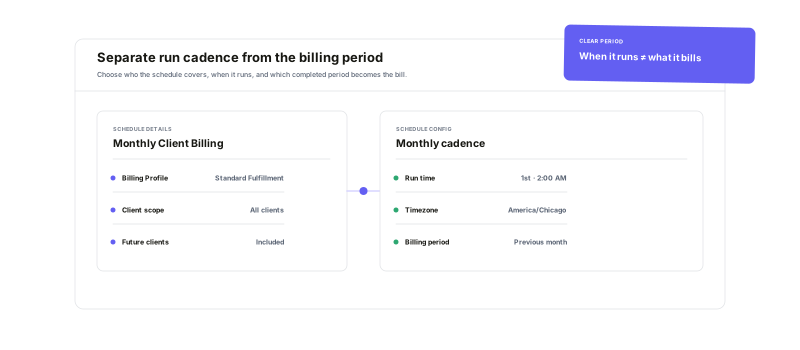
Set the run cadence separately from the date range each bill covers.
Review or auto-approve
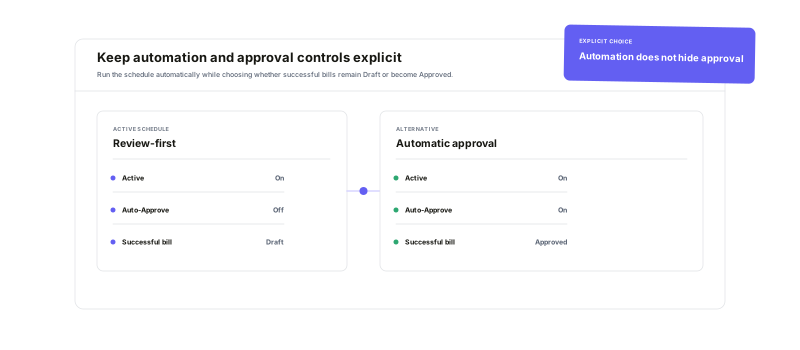
Keep generated bills in Draft or approve successful runs automatically.
Separate when it runsfrom what it bills
Start with weekly, monthly, or twice-monthly presets—or build custom schedule rules with their own cadence, run time, and billing period. Select all clients or a specific group, keep timing aligned to the organization time zone, and preview how each generated bill will be named before saving.
Create the next client billswithout rebuilding the setup
When the schedule is due, Warehance calculates the configured billing period, resolves the included clients, and creates a separate bill for each one with the selected Billing Profile. The resulting bills enter the normal Bills workflow with their generation and approval states visible for follow-through.
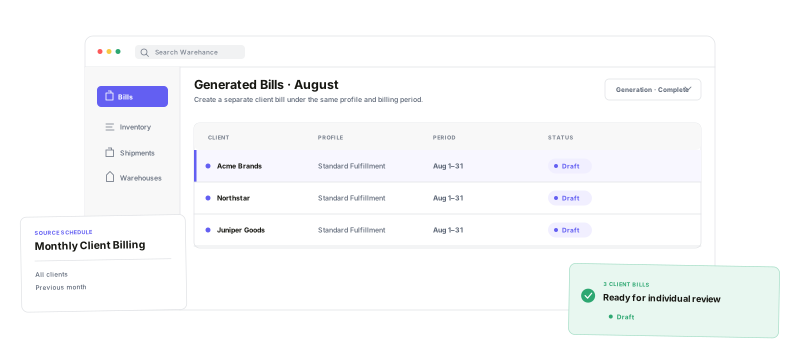
Keep approvalan intentional decision
Leave Auto-Approve off when the team should inspect each generated bill in Draft. Enable it only when bills that complete generation successfully should move straight to Approved, and use the Active switch to stop future scheduled runs without deleting the setup.
Automated billing questions
Give every recurring billing cycle a clear schedule and review path
Start running your warehouse operations with Warehance today and experience complete freedom to grow your business without compromise.
