Connect carrier accountsto the work of fulfillment
Bring your carrier accounts into Warehance, map the services you want each Shipping Method or Profile to use, and make those choices available where your team rates shipments and purchases labels. Connection status, client scope, and return availability stay visible in one place.
Request a demo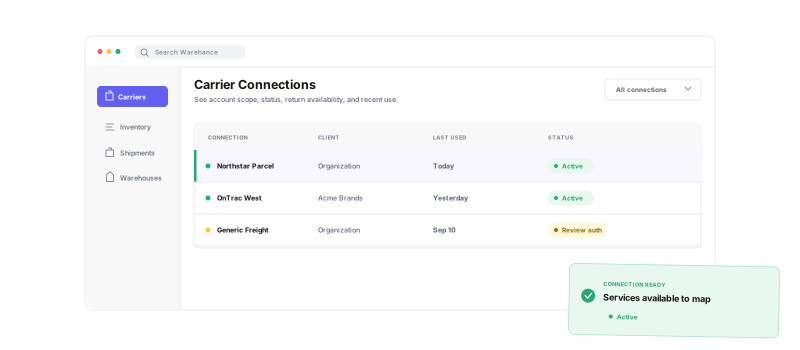
Connect the account once, choose where its services belong, and keep the connection manageable as operations change.
Guided connection setup
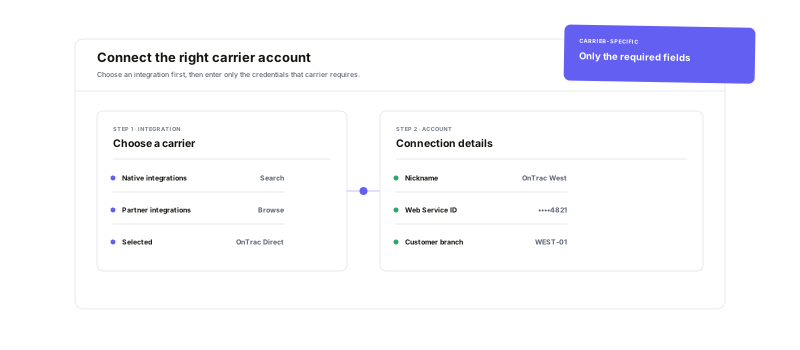
Choose a native or partner integration and complete its account-specific steps.
Organization or client scope
Share a connection across the operation or keep it with one client.
Service-level mapping
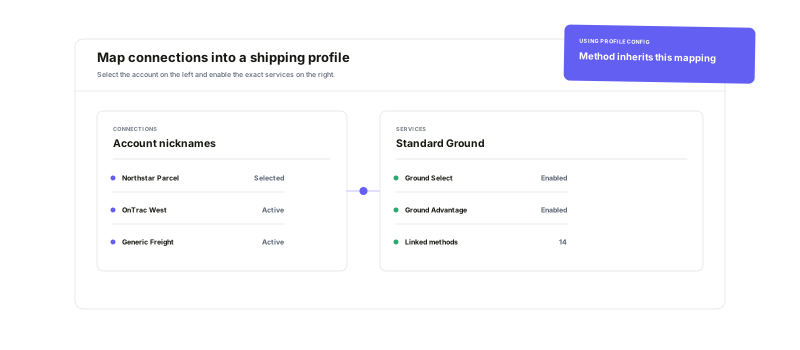
Enable only the services that belong in each Method or Profile.
Visible connection control
Review authentication, activation, recent use, and return availability.
Choose the connection.Bring the right account with it.
Search Warehance's native and partner integrations, select the one your team uses, and follow its setup flow. Give the connection a recognizable nickname, add the required account credentials or complete authorization, and scope it to the organization or the right client.
Turn connected accounts intousable shipping options
A connection becomes operational when you map its individual services into the Shipping Methods or reusable Shipping Profiles that should use them. Profiles let linked methods share the same carrier configuration, so a carrier change can be managed from the profile instead of repeated method by method.
Rate and label shipmentswhere fulfillment already happens
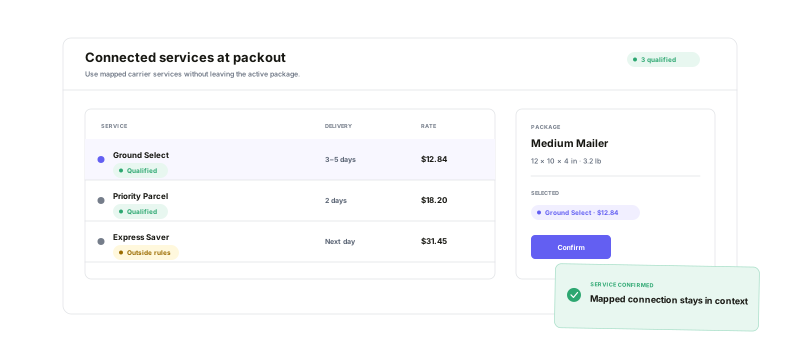
Mapped services appear in Warehance's fulfillment flow for rate shopping, manual rate review, and label purchase. Keep connections active for outbound work, enable the right ones for return labels, and inspect their available services or account settings when the operation changes.
Carrier Connection questions
Bring your carrier accounts into one fulfillment workflow
Start running your warehouse operations with Warehance today and experience complete freedom to grow your business without compromise.
