Turn multiple customer ordersinto one clean workflow
Surface unfulfilled orders that appear to belong together, review compatibility, choose which order supplies the fulfillment details, and create one traceable order for warehouse execution.
Request a demo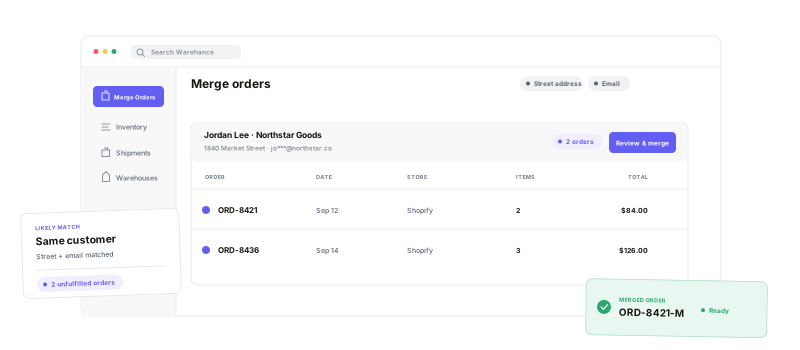
Find the right orders, review the details, and preserve the operational history.
Suggested groups
Surface unfulfilled orders that share the customer details you select.
Flexible matching
Choose address, email, postal code, or last name as match inputs.
Eligibility guardrails
See incompatible stores, warehouses, or active sessions before merging.
Linked history
Keep every source order connected as a read-only snapshot.
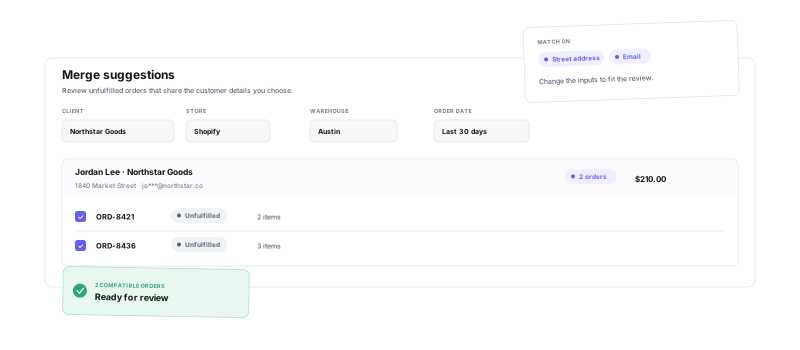
Find the ordersthat belong together
Match unfulfilled orders by street address, email, postal code, or last name. Narrow the candidate list by client, store, warehouse, and order date so your team can focus on the combinations that make operational sense.
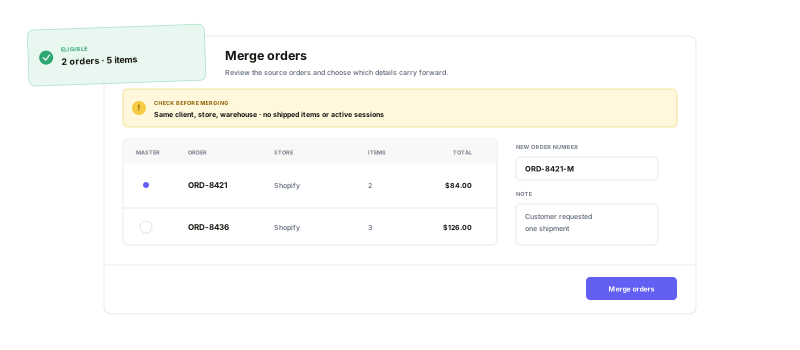
Review the merge.Create one work order.
Confirm that the selected orders share the same client, store, and warehouse and are not already shipped or active in a pick or batch session. Choose the master details, set a new order number, and bring every item and tag into one order for fulfillment.
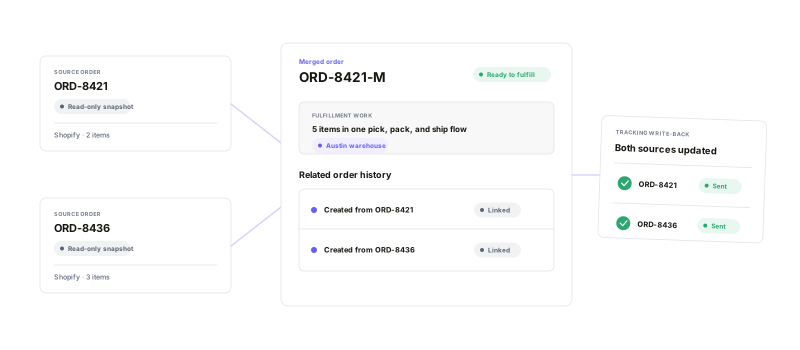
One workflow withoutlosing the source history
Source orders remain available as linked, read-only snapshots with merge history. When the combined shipment ships, Warehance maps the shipped items back to each source order and sends tracking through its original marketplace connection.
Merge Orders questions
Create cleaner order workflows with Warehance
Start running your warehouse operations with Warehance today and experience complete freedom to grow your business without compromise.
