Ship with the right service.Keep the full record in view.
Move ready orders through packing, carrier selection, label output, tracking, and exception follow-up in one connected Warehance workflow. Give operators the controls they need now while preserving the shipment context your team needs later.
Request a demo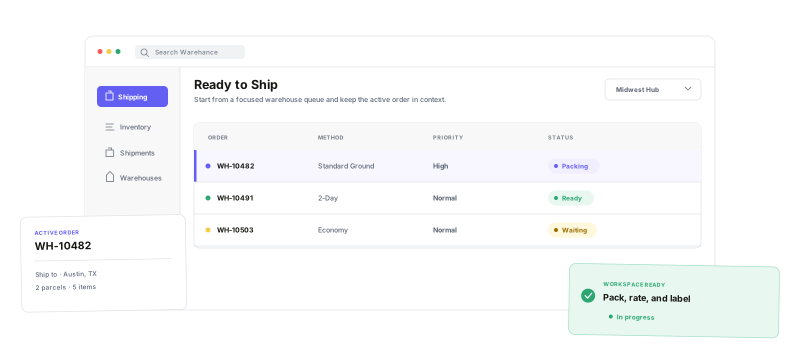
Keep the packing decision, carrier choice, label, and shipment record connected.
Ready-to-ship intake
Work from the warehouse queue or scan the tote in front of you.
Parcel-aware pack-out
Keep items, boxes, dimensions, and weight in the shipping workspace.
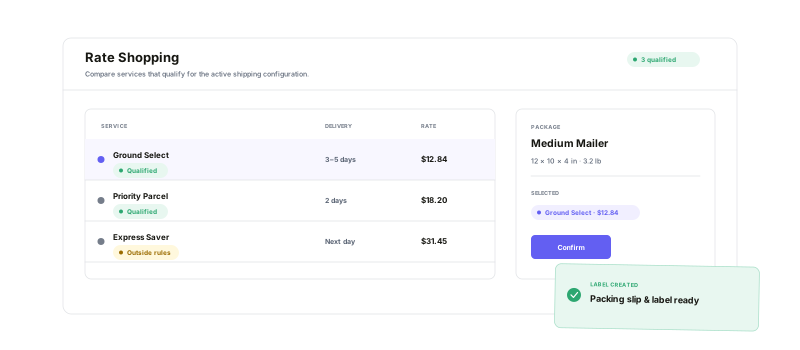
Qualified rate choices
Compare eligible services and see when a choice sits outside the rules.
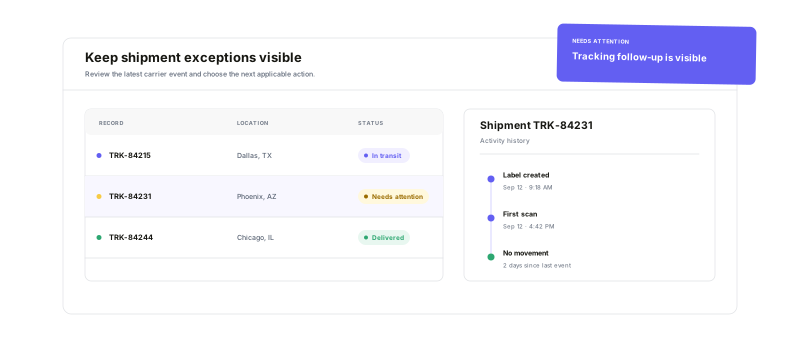
Exception visibility
Filter shipment states and open the full record for follow-up.
Compare the rate.Print with context.
Once the order is packed into defined parcels, review returned carrier services with price, delivery timing, and rule qualification in view. Confirm the rate you need, then purchase and print the label—or the packing document and label together when your workflow calls for it.
Turn checkout promisesinto repeatable shipping policy
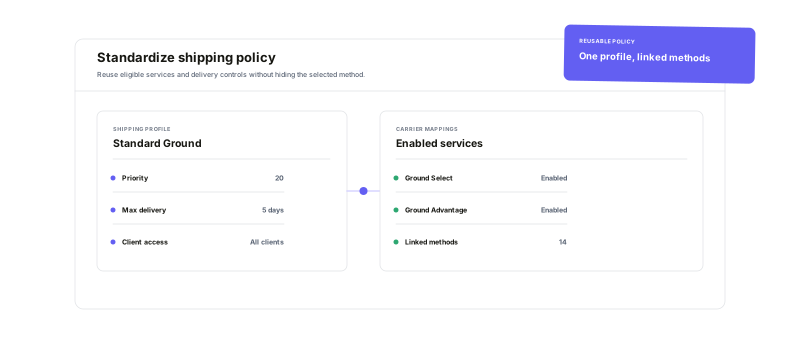
Connect the carrier accounts your operation uses, map storefront shipping methods to eligible services, and centralize common rules in reusable profiles. Set the carrier pool, service levels, priority, delivery-day cap, and client access once, then link the methods that should follow that policy.
See the status.Act from the shipment record.
Search, filter, save views, and export the shipment fields your team relies on. When something needs attention, open the shipment to inspect parcels, tracking milestones, carrier data, rates, history, and documents—then check tracking, retry a marketplace update, void the shipment, or use another applicable corrective action without losing context.
Shipping management questions
Run shipping as one connected operational workflow
Start running your warehouse operations with Warehance today and experience complete freedom to grow your business without compromise.
