Turn warehouse activityinto repeatable client charges
Build Billing Profiles from category-specific Charge Rules, conditions, optional data modifications, and configured charge types. Apply a profile to a client and billing period, then review every generated line against its source activity and originating rule before the bill moves forward.
Request a demo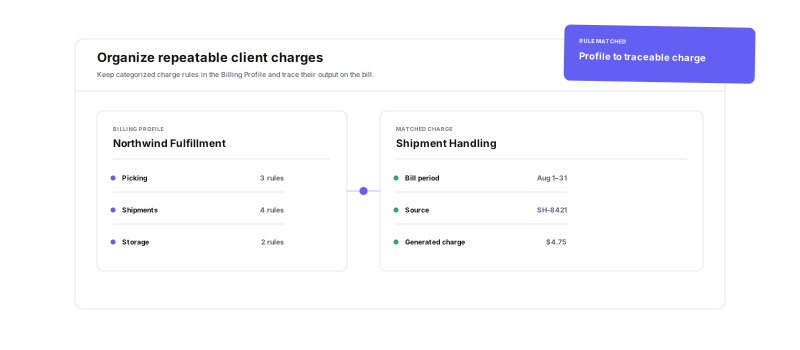
Choose the operational category, define when a rule applies, configure the charge, and keep the result visible for review.
Reusable Billing Profiles
Group named Charge Rules into a rule set you can select for a client bill.
Category-aware conditions
Filter supported warehouse activity with inputs relevant to that billing category.
Flexible charge structures
Add one or more supported charges, including tiered setups where they fit.
Traceable review
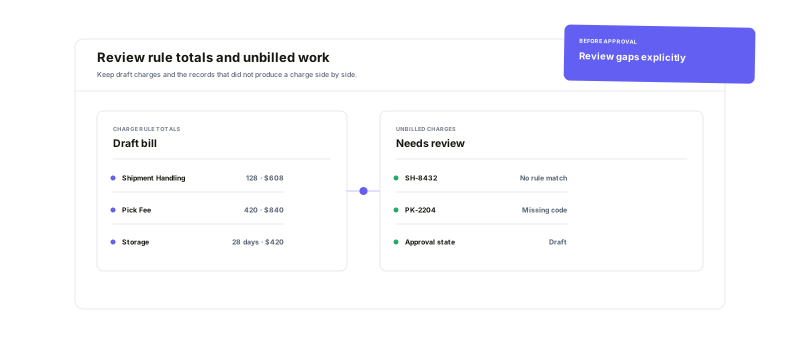
See the source, rule, amount, and unbilled work before approval.
Start with the service.Shape the rule around it.
Choose a supported category such as Picking, Shipments, Storage, Returns, Kitting, or Receiving, then configure the charge types Warehance exposes for that category. Simple Mode handles a direct category-and-charge setup. Advanced Features add ordered conditions, conditional modifications, shipment variables where supported, and multiple triggered charges.
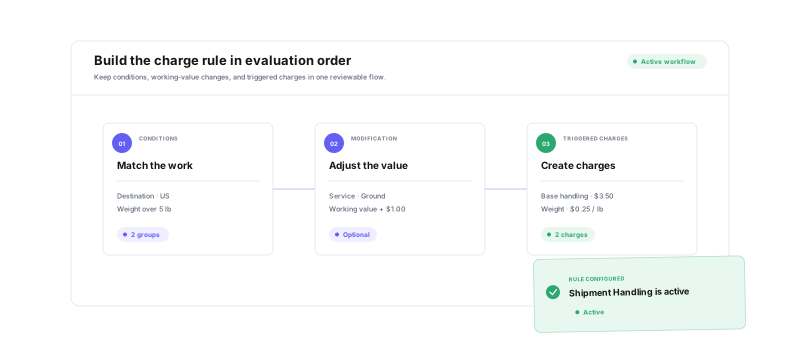
Evaluate the activity you recorded.Keep the resulting charge explainable.
When a bill is generated for a client and date range, Warehance evaluates recorded work against the profile's rules. Depending on the category, conditions can use attributes such as pick type, counts, tags, store, destination, zone, weight, carrier, service, package, product, return, or storage-location data. Generated lines retain their category, source context, and Charge Rule.
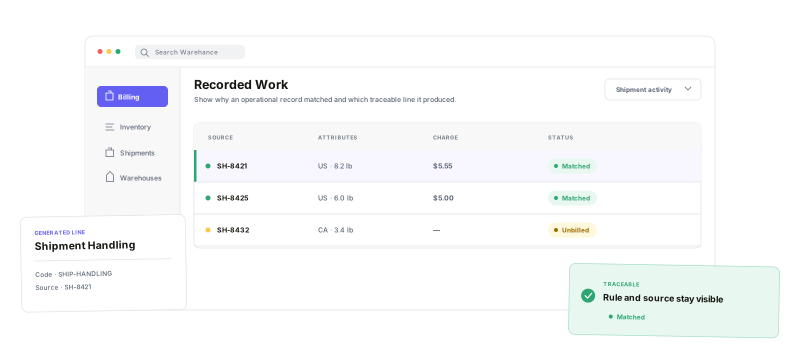
Review what charged—and what did not
Bill details summarize counts and amounts by Charge Rule and let reviewers inspect the line items beneath each category. The Unbilled Charges Report provides the counter-view: completed work records that produced no charge, grouped by client and category and linked back to available operational records so the team can decide whether the rule or workflow needs attention.
Rule-based billing questions
Build billing logic around the work your warehouse performs
Start running your warehouse operations with Warehance today and experience complete freedom to grow your business without compromise.
