Make picking followyour operation
Choose the picking method that fits the work in front of you. For multi-item sessions, configure the exact location, item, tote, lot, and confirmation sequence your team follows—then reuse the right session setup for each order mix.
Request a demo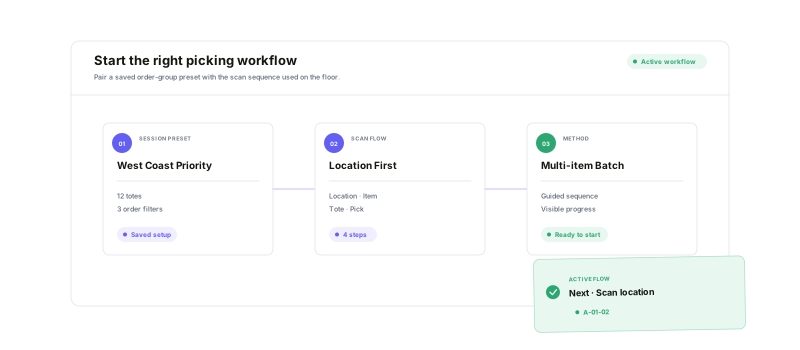
Decide how a session starts, what every confirmation requires, and how the work stays visible.
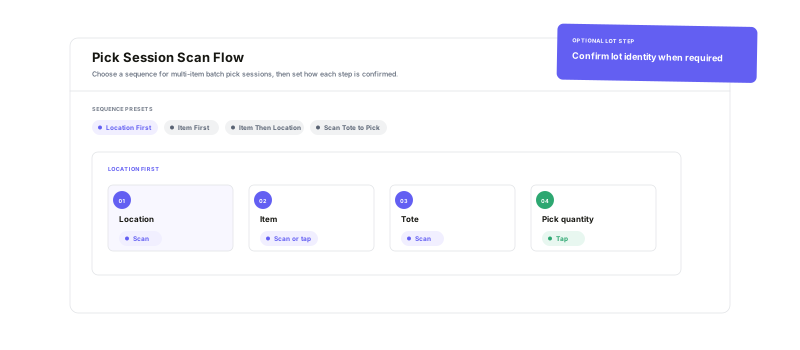
Four scan sequences
Start with item, location, or tote behavior that matches the process.
Step-level controls
Require a scan, allow a tap, or support either action per step.
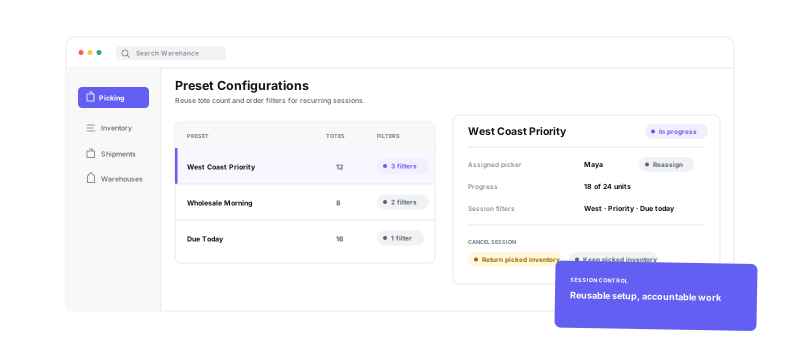
Reusable session presets
Save the tote count and filters for recurring groups of work.
Visible session progress
Track totes, remaining items, and each order's pick progress.
Choose the sequence.Tune every confirmation.
Select Item First, Location First, Item Then Location, or Scan Tote to Pick for multi-item sessions. Set each step to Scan, Tap, or Scan or tap, add lot confirmation when needed, and define how Warehance prioritizes the suggested location and lot.
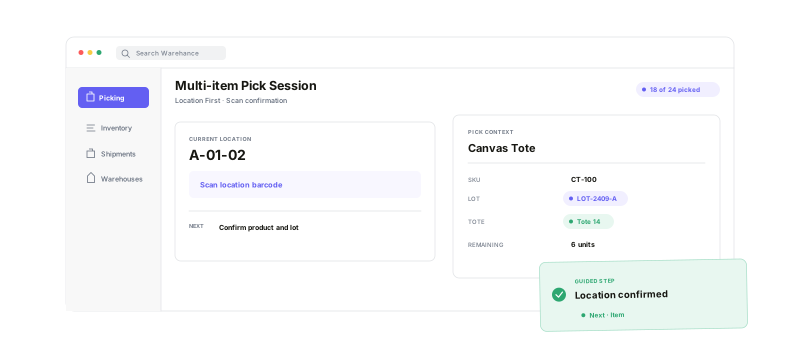
Guide the next actionright on the warehouse floor
The active multi-item session follows the configured sequence and confirmation mode. Pickers see the current location, product and lot context, tote assignment, remaining work, and order progress without having to reconstruct the process themselves.
Repeat the setup.Keep every session accountable.
Save organization-wide presets for recurring order groups, review or adjust the filters before starting, and retain the session's starting context. If work changes hands or stops, reassign the session or choose exactly how its picked inventory is handled on cancellation.
Configurable picking workflow questions
Build the picking workflow your team can follow
Start running your warehouse operations with Warehance today and experience complete freedom to grow your business without compromise.
