Keep every client distinctinside one 3PL operation
Manage client records, users, permission limits, branding, stores, and shipping preferences from one workspace. Then switch into Client Mode to focus supported order and inventory views on one client while your warehouses remain managed at the organization level.
Request a demo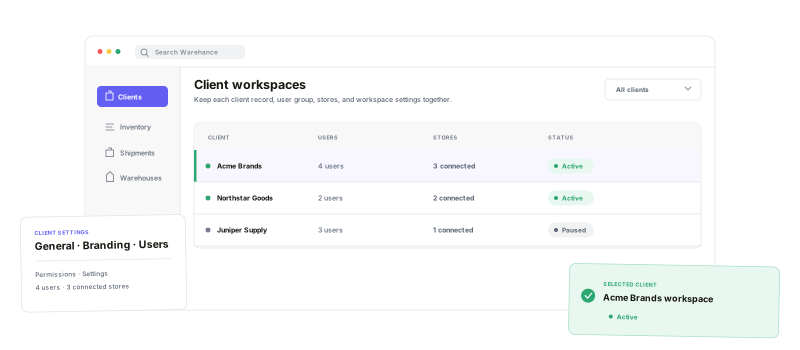
Separate the record, access, brand, and operating context without splitting the warehouse team across disconnected systems.
One client workspace
Keep core details, branding, users, permissions, and settings under one client record.
Visible Client Mode
Switch context deliberately and keep the selected client visible in the header.
Permission ceilings
Define the maximum permissions that any user under a client can receive.
Client shipping defaults
Control shipping pause, sender details, addresses, and return-email replies per client.
Give each client its ownfulfillment defaults
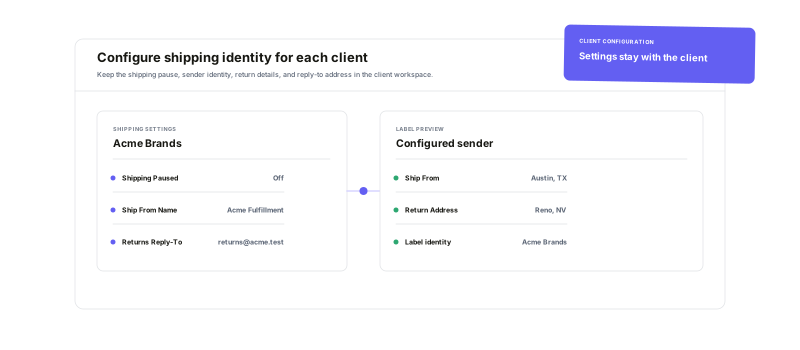
Client settings go beyond a name and logo. Pause shipping for one client without stopping order imports, configure the sender identity printed on labels, override warehouse ship-from and return addresses where needed, and send replies to return-label or RMA-slip emails to the client's chosen inbox.
Focus on one client.Keep the shared network clear.
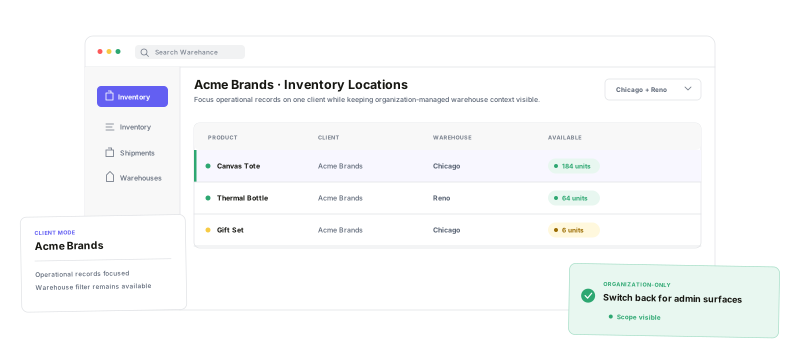
Choose an active client and Warehance carries that client into supported operational queries such as orders and inventory. Those records can still be viewed by warehouse, because the warehouse network remains organization-managed rather than being duplicated or assigned as a separate client account. Organization-only pages clearly ask you to switch back before making broader administrative changes.
Give clients their brand—and the right boundaries
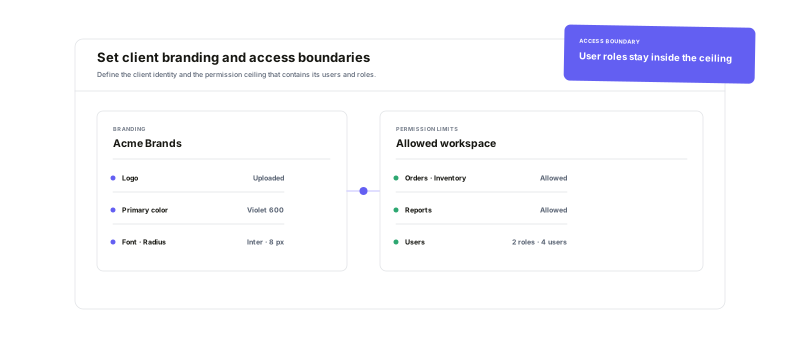
Configure the logo, color palette, font, and control shape used by supported customer-facing Warehance experiences. Separately, define the client's maximum allowed permissions, invite its users, and let roles operate only inside that approved ceiling. Brand configuration and access control stay visible as distinct responsibilities.
Client management questions
Run every client through one clear operating system
Start running your warehouse operations with Warehance today and experience complete freedom to grow your business without compromise.
