Turn compatible ordersinto one clear pick
Start from suggested order groups, configure the quantities and locations once, then guide the picker through one combined list with scan controls, flexible quantities, and every remaining item visible.
Request a demo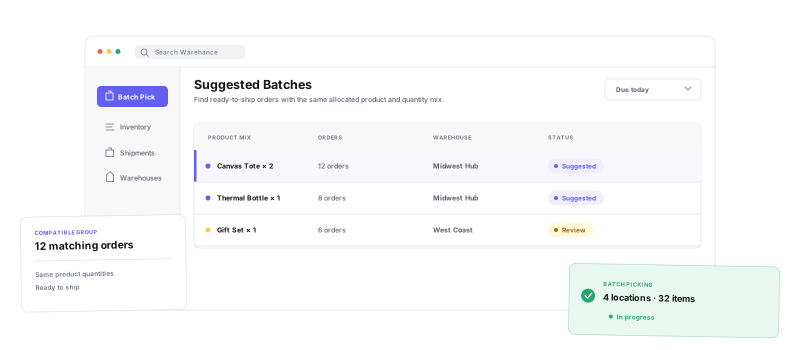
Match the orders, confirm the physical work, and know exactly what remains before completion.
Compatible order groups
Start with orders that share the same allocated product and quantity mix.
Combined location picks
Pick the total needed for each product and location across the batch.
Scan and quantity control
Confirm the right location, product, and quantity before moving on.
Visible work remaining
See locations and units left, then complete only when the list is clear.
Group the ordersthat actually match
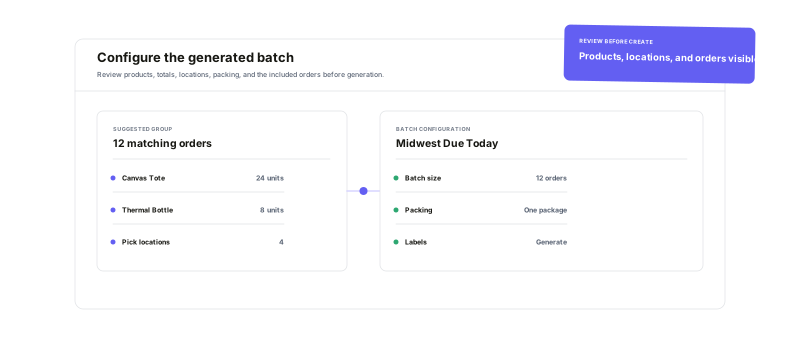
Use Suggested Batches to find ready-to-ship orders with the same allocated product and quantity mix. Narrow the queue by warehouse, client, status, due date, SKU, store, or shipping method, then review totals, pick locations, batch size, packing, and included orders before generating the batch.
Pick by product and location,not order by order
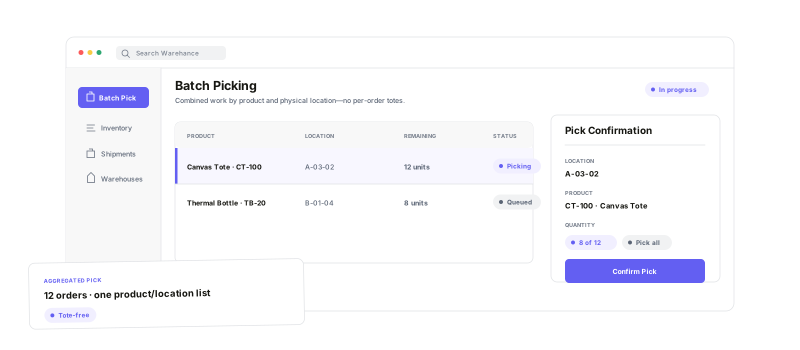
Warehance combines the required units across the batch into one product-and-location list. Scan or select the product, confirm the expected location when required, and pick one unit, a chosen quantity, or everything left on the line. No per-order tote assignment is needed in this workflow.
See the remaining work.Finish with confidence.
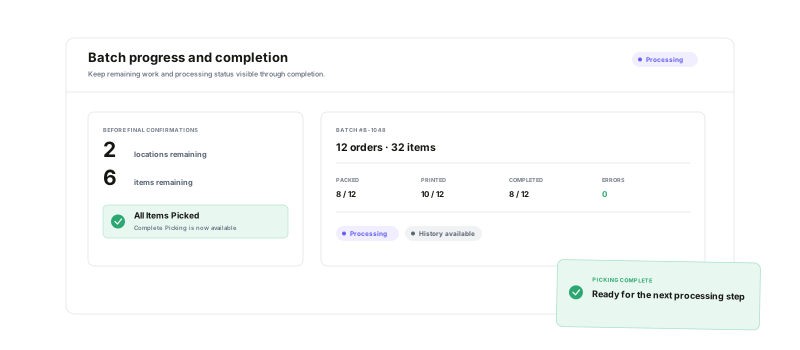
Watch remaining locations and units update as picks are confirmed. Complete Picking only when every line is clear, then keep the batch visible across Processing and Completed views with its order count, item count, errors, packed, printed, completed, and history context.
Batch picking questions
Turn the next order group into one controlled pick
Start running your warehouse operations with Warehance today and experience complete freedom to grow your business without compromise.
