Put recurring reportingon the warehouse schedule
Choose an available operational export, save the filters that define the question, schedule it in your organization's timezone, and select the people who should receive it. The report list and run history keep the recurring work visible after setup.
Request a demo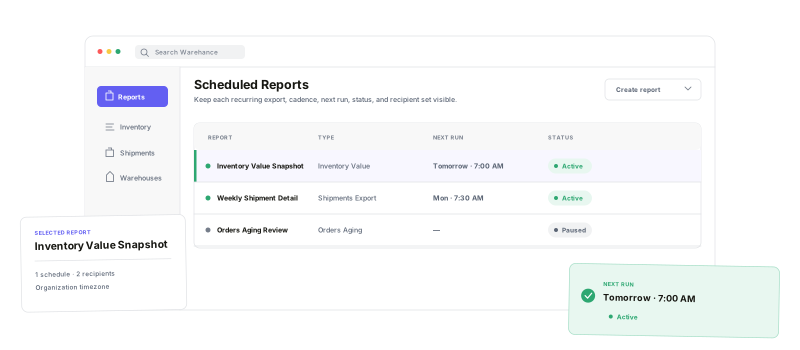
Scheduled Reports combines a guided setup path with flexible timing, explicit recipients, and an operational history of what happened.
Available report types
Choose from the export families enabled for the current context and access level.
Report-specific filters
Save the warehouse, client, shipment, product, or exception scope that report supports.
Flexible cadence
Start daily, weekly, or monthly, or build multiple custom schedules.
Visible run history
Review status, duration, email state, errors, and completed downloads.
Choose the report firstthen save its operating scope
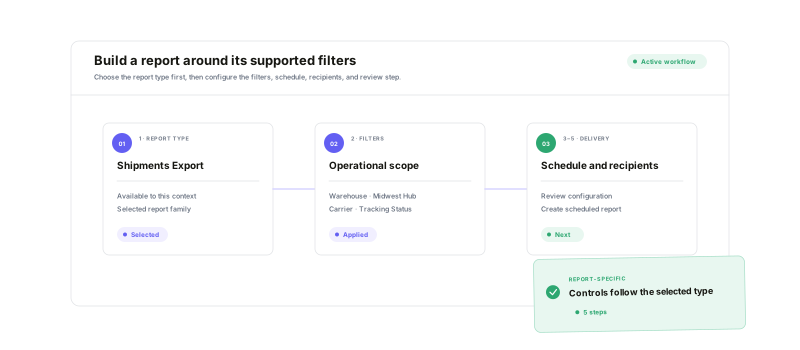
The builder starts with the report types available to the current organization or client view. From there, Warehance exposes that report's supported filters—such as client, warehouse, store, carrier, tracking status, date, product state, tags, expiration, or stale-age controls—before moving through schedule, recipients, and final review.
Start with a common cadenceor model the calendar you actually use
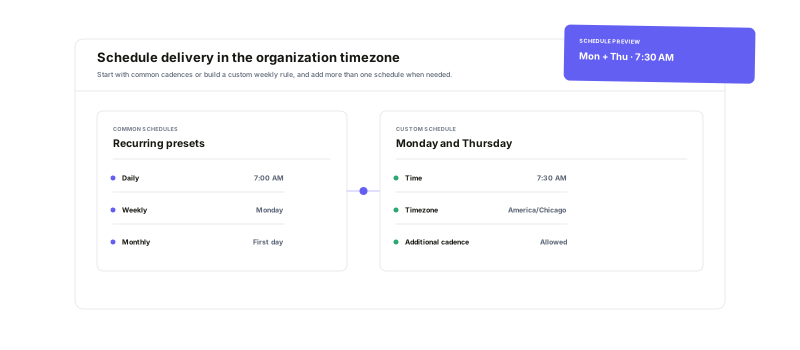
Daily, weekly, and monthly presets handle the straightforward routines. Custom schedules can target selected weekdays, month intervals, quarters, years, specific months, or the last day of a month, and the same report can carry more than one schedule. Each time is previewed in the organization's configured timezone.
Choose the recipientsand keep proof of every run
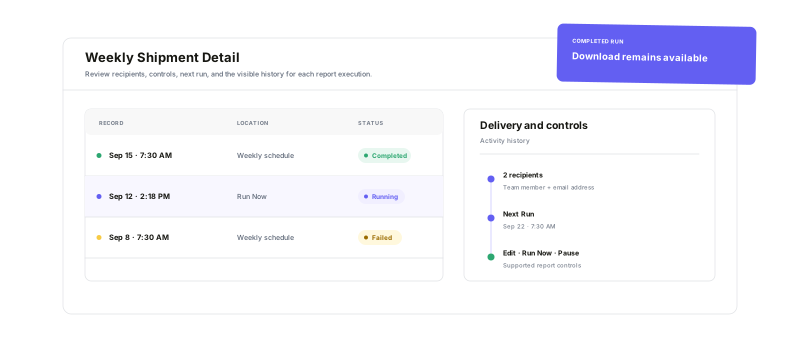
Select Warehance team members, add external email addresses, and preview the notification subject. After setup, pause or resume the report, edit its configuration, trigger a manual run, and review scheduled and manual history with processing state, duration, email state, errors, and completed download availability.
Scheduled reporting questions
Make recurring warehouse reporting part of the operating rhythm
Start running your warehouse operations with Warehance today and experience complete freedom to grow your business without compromise.
