Find the orders that havewaited too long
See not-ready-to-ship orders by the exact number of days they have been open and the reasons holding them back. Move from an age pattern or issue category to the matching Orders queue without rebuilding the filters by hand.
Request a demo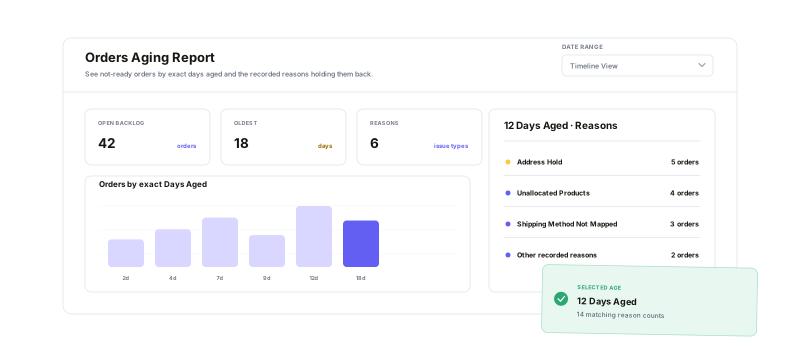
Start with time, isolate the blocking reason, and carry that context into the orders your team can act on.
Exact days aged
Group waiting work by the calendar days since each order date.
Reason-level visibility
See which not-ready reasons are present at each age.
Controlled inclusion
Choose which issue categories belong in the analysis.
Working-list drill-down
Open the matching orders with the report context preserved.
See where the backlogstarts to cluster
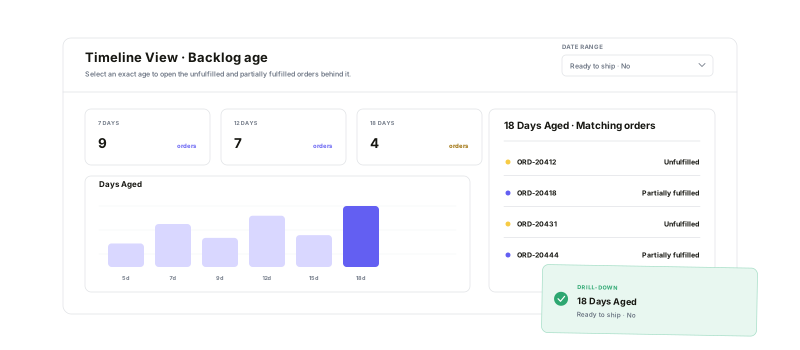
Timeline View plots the report by exact Days Aged, from newer exceptions to long-waiting work. Hover a day to see its issue mix, then select the bar to open the matching not-ready orders in a new tab.
Separate the agefrom the cause
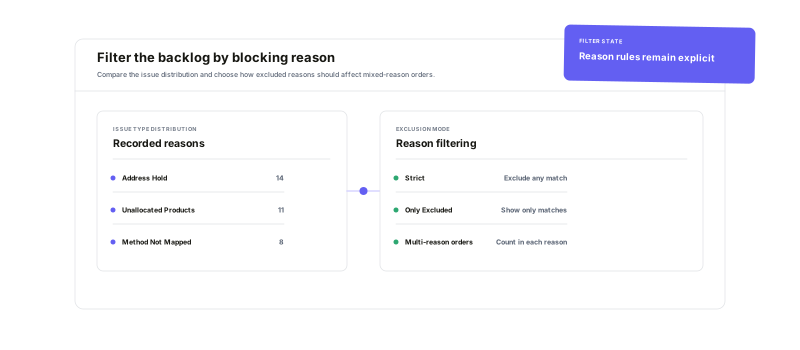
Filter the report across client, order, financial, address, operational, shipping, and inventory reason categories. Strict mode removes any order carrying an unchecked reason; Only Excluded keeps mixed-reason orders visible. Because one order can have several reasons, each applicable issue contributes to the breakdown.
Open the exact workor keep the review moving
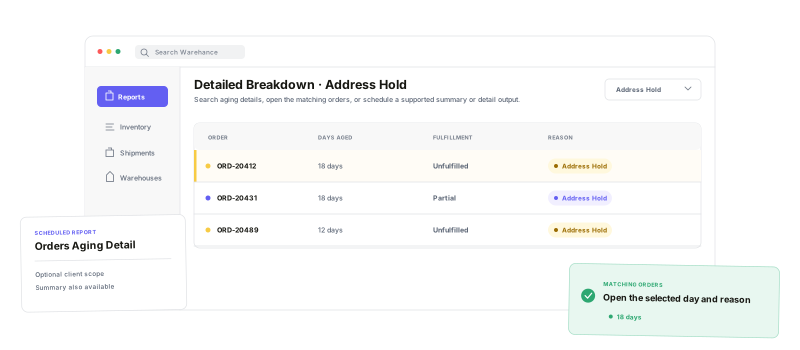
Search Detailed Breakdown by day or reason, then open every matching order for a day—or narrow to one day-and-reason combination. For recurring review, scheduled Orders Aging Summary and Detail reports provide aggregate links or one row per matching order, with optional client scope.
Orders Aging Report questions
Turn aging orders into a clear next-action queue
Start running your warehouse operations with Warehance today and experience complete freedom to grow your business without compromise.
