Keep every pick faceready for the work ahead
Turn current order demand, pickable stock, product replenishment levels, and available reserve inventory into a focused action queue. See what needs stock, review the suggested quantity and source order, then confirm the inventory move.
Request a demo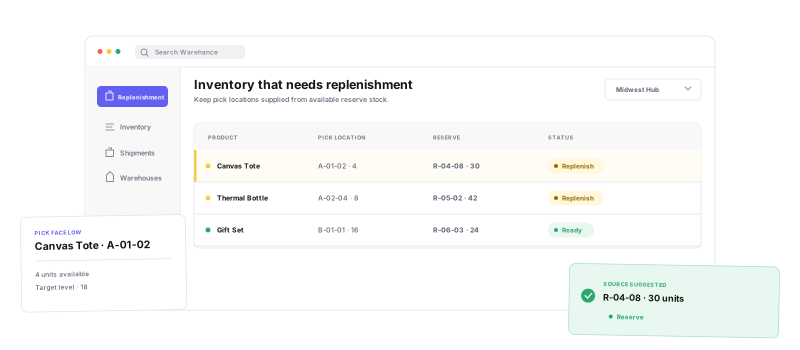
Make the need, the inventory context, and the final movement decision visible in one operational flow.
Demand-aware queue
Bring allocated demand, pickable stock, and product replenishment levels together.
Clear move quantity
See a calculated replenishment quantity capped by the reserve stock available.
Ranked source locations
Order overstock sources by the location attributes that fit your operation.
Controlled transfers
Confirm the source, destination, quantity, and note before inventory moves.
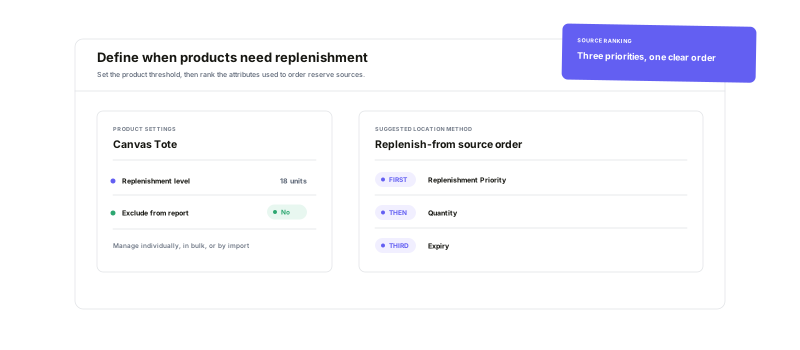
Set the floor for every product.Rank the source your way.
Give each product a replenishment level, exclude exceptions from the report, and manage levels individually, in bulk, or by import. Then choose up to three attributes that determine how Warehance orders suggested overstock sources.
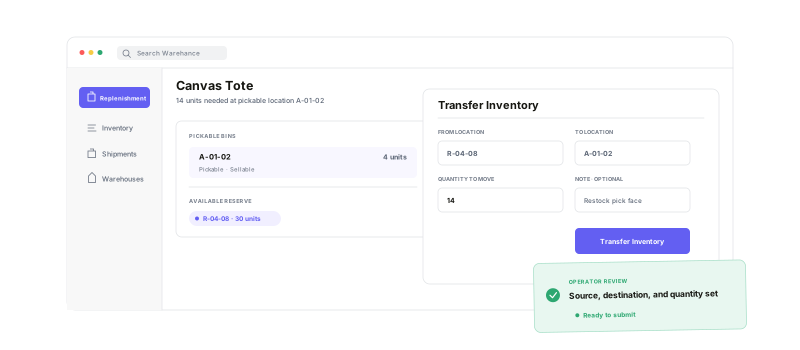
Go from report rowto confirmed inventory move
Open the product directly from the queue—or scan its barcode—then review the available source inventory and pickable bins. Choose the from and to locations, enter the quantity and optional note, and submit the transfer when the move is correct.
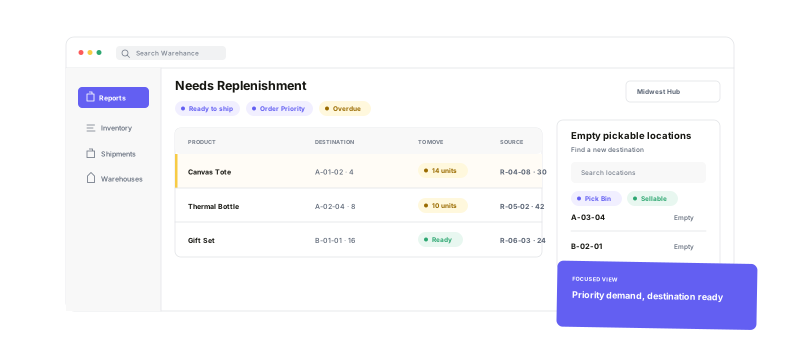
Focus the queueon the demand that matters now
Choose the warehouse, save useful table views, and narrow replenishment work to ready-to-ship, priority, or overdue order demand. Keep source, destination, product, and quantity context visible—and find empty pickable locations when the pick face needs a new home.
Replenishment questions
Keep replenishment work visible, focused, and ready to move
Start running your warehouse operations with Warehance today and experience complete freedom to grow your business without compromise.
