Verify the orderbefore the label
Scan the pick slip at the station to open the right order. Then verify each product by UPC or alias, confirm a lot when required, and keep the parcel’s box, location, and remaining quantity visible before you print the label.
Request a demo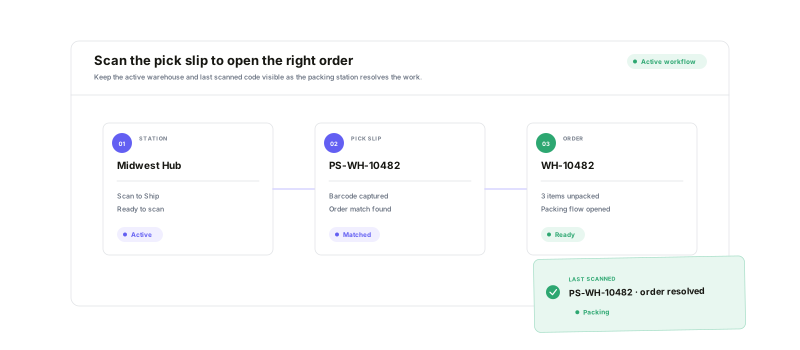
Match the order, match the item, resolve the exception, then hand off a ready parcel.
Pick-slip entry
Scan the order pick slip and open the matching shipping session at the selected warehouse.
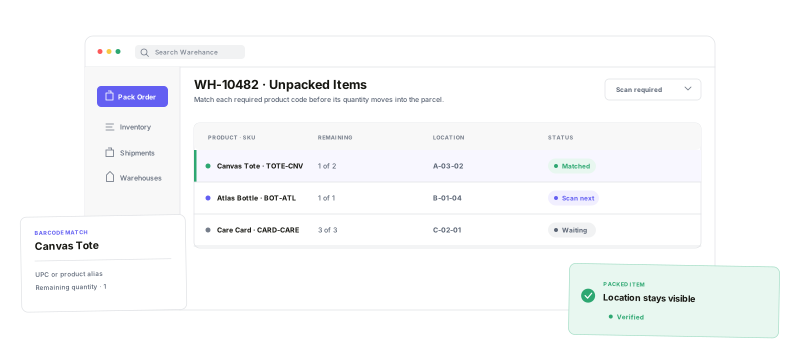
Product verification
Use UPC or alias barcodes to pack the product that is actually in front of you.
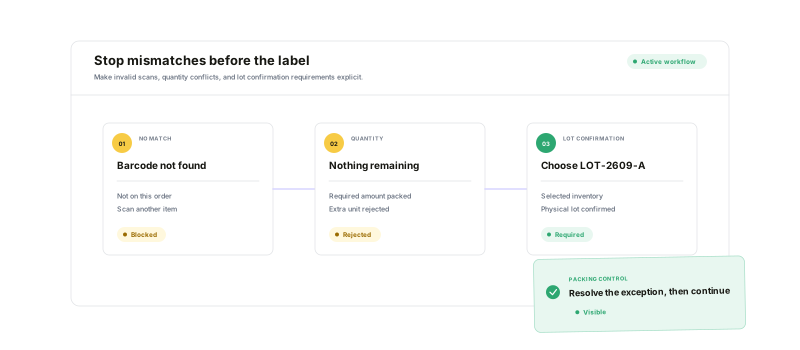
Visible mismatches
Keep no-match, quantity, and conditional lot checks in the operator’s path.
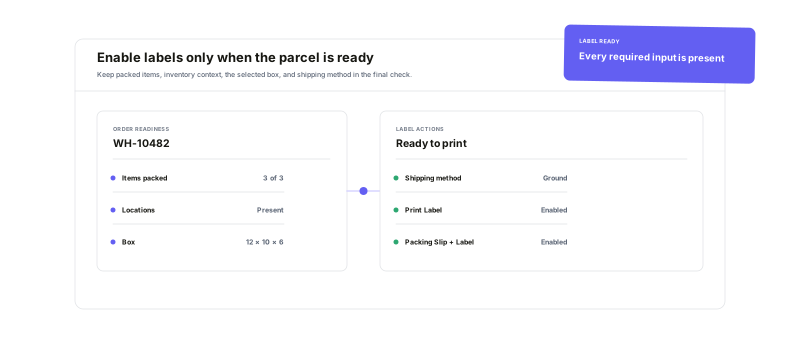
Label-ready handoff
Print only after items, locations, boxes, and shipping details are ready.
Scan what youpack
With product scanning required, the packer cannot tap an item, type a quantity, or use Pack all to bypass the check. A UPC or alias barcode identifies the item, updates the remaining quantity, and keeps its selected inventory location in view.
See the mismatchbefore it ships
An unknown barcode does not silently pack. Neither does an alias that represents more units than remain. If the selected lot needs confirmation, the lot prompt appears before the item can move into the parcel.
Make the parcelready to print
The label action stays out of reach while anything is still unpacked, a packed item lacks a location, or a parcel lacks a box. Once the order is packed and the shipping method is ready, choose Print Label or Print Packing Slip & Label.
Scan to Ship questions
Verify every order before the label leaves the station
Start running your warehouse operations with Warehance today and experience complete freedom to grow your business without compromise.
