Keep every client billreviewable from period to handoff
Bring the billing period, generated charges, operational references, workflow status, and approval decision into one review path—then download the detailed files your team needs for the next step.
Request a demo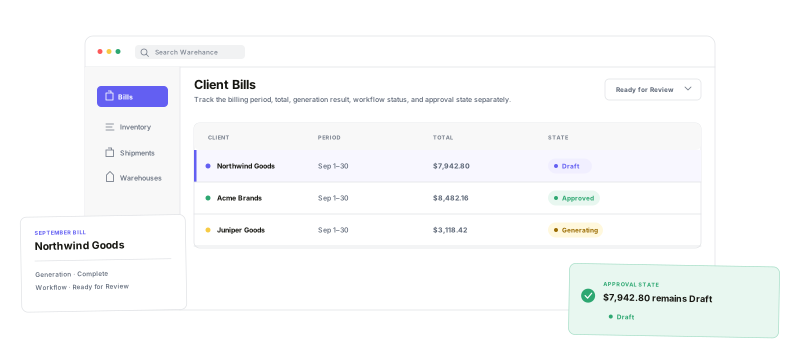
Review what was charged, where it came from, which state it is in, and what leaves Warehance at the end.
Period-level control
Keep the client, profile, date range, total, and bill name together.
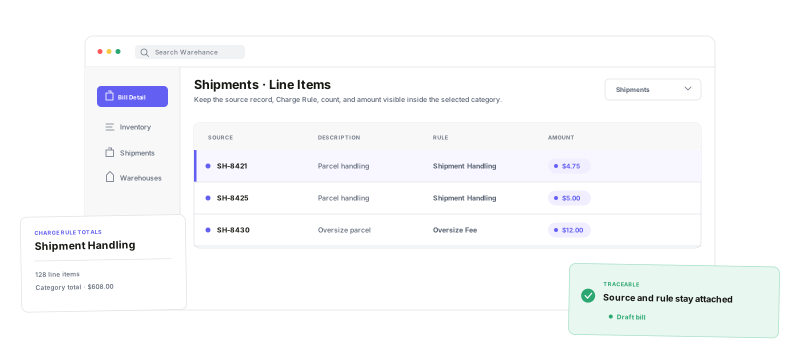
Traceable line items
Connect each charge to its category, rule, and available operational reference.
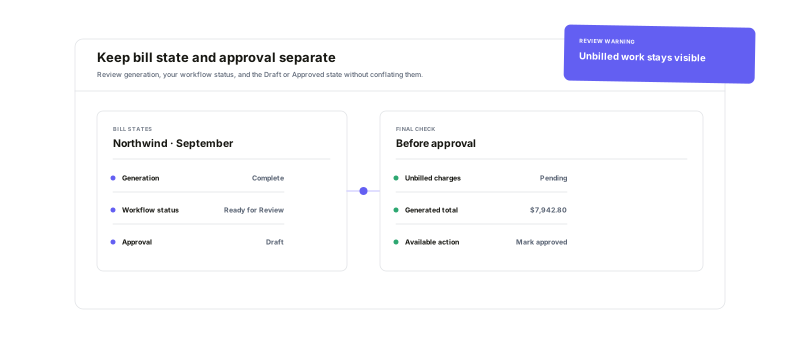
Clear review states
Separate generation health, team status, and Draft or Approved state.
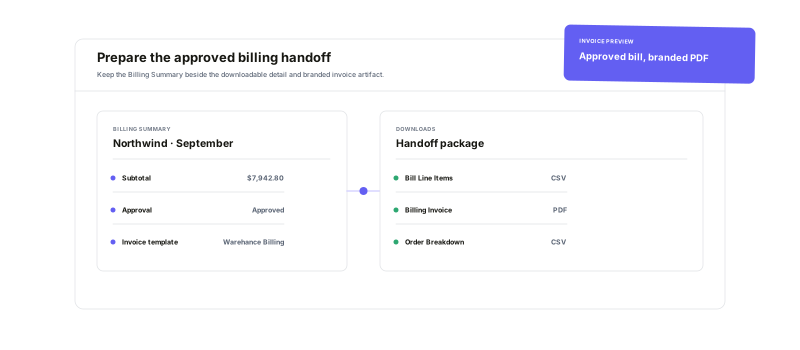
Ready-to-download files
Open the invoice PDF or export detailed bill and order breakdowns.
Read the billas an operational story
Move from category totals into the underlying charges without losing context. Warehance groups the bill by service category, preserves Charge Rule totals and billing codes, and keeps available orders, shipments, kit tasks, and inbound shipments within reach while your team reviews the detail.
Give every statea clear purpose
Generation status tells you whether the bill was produced cleanly. A configurable bill status can reflect your team's own review process. Draft or Approved records the approval decision. If unbilled work remains, Warehance puts that warning directly in the approval path so the reviewer can make a deliberate call.
Finish with theright level of detail
Open a generated Invoice PDF for the client-facing summary, download the Bill Line Item CSV for charge-level detail, or use the Order Breakdown CSV for an order-oriented handoff. Billing Invoice templates can control how the PDF presents Warehance billing data, while payment collection, tax calculation, and accounting-system posting remain outside this page's promise.
Client bill and invoice questions
Make the next client bill easier to explain
Start running your warehouse operations with Warehance today and experience complete freedom to grow your business without compromise.
