Create the right batcheson the warehouse schedule
Build a recurring warehouse plan from reusable Standard Batch, Custom Batch, or Single-Order Shipping rules. At each run time, Warehance reevaluates current ready-to-ship orders, moves them through the steps in order, and creates the batches each rule defines.
Request a demo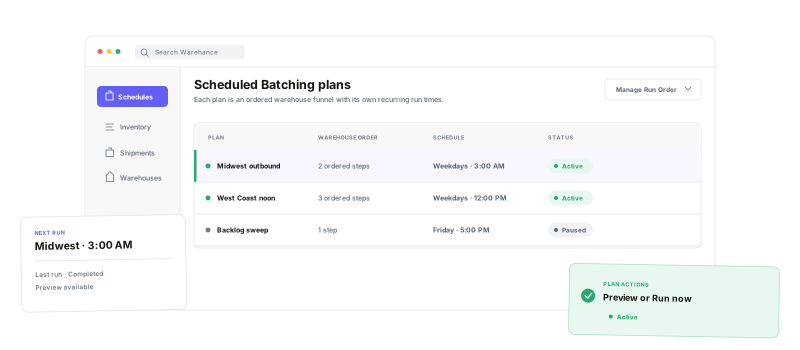
Schedule recurring work, preserve order between overlapping rules, preview current demand, and keep every run visible.
Multiple run times
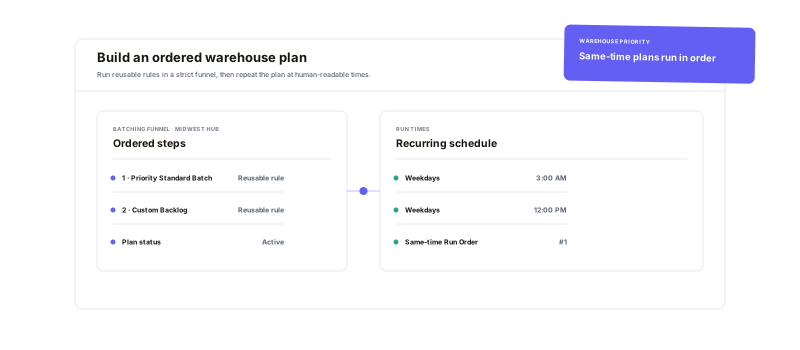
Run one warehouse plan at one or more configured times in your organization timezone.
Ordered rule funnel
Let earlier steps claim eligible orders before the next rule evaluates them.
Live preview
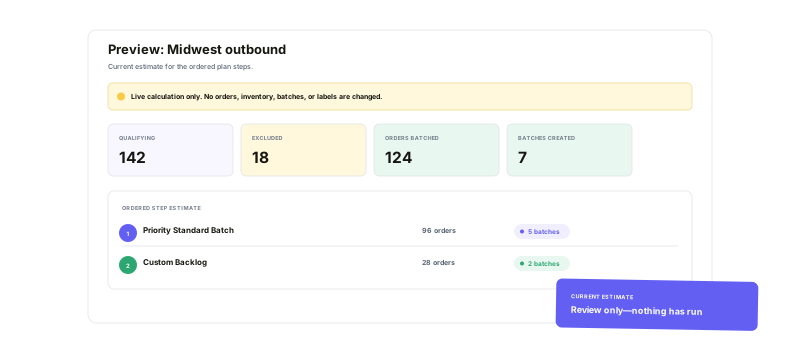
Estimate qualifying orders, exclusions, and batches without changing operational data.
Run-level visibility
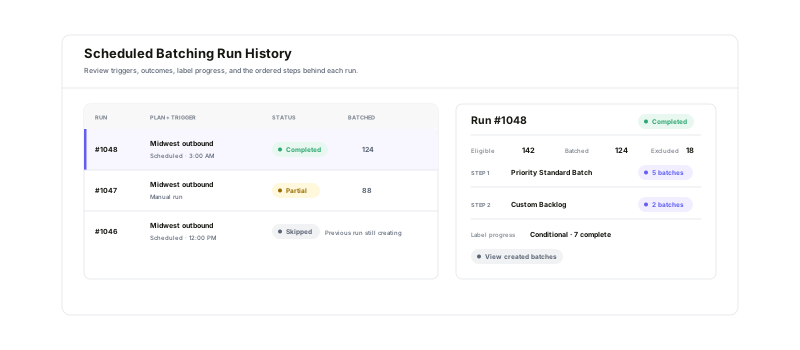
See each trigger, status, step result, batch count, and applicable label progress.
Build one plan fromrules your operation already understands
Choose the warehouse, add reusable batching rules as ordered steps, and configure one or more recurring run times. Earlier steps claim their eligible orders before later rules run, while label purchasing can continue independently after batch creation moves to the next step.
See what would happenbefore anything changes
Preview the plan against currently eligible orders to estimate qualifying, excluded, and batched orders, projected batches, step-level results, and warnings. The calculation does not reserve inventory, create batches, purchase labels, or modify orders—and the scheduled result can change as live order data changes.
Follow every runfrom batch creation to final status
Filter run history by status, distinguish scheduled and manual triggers, and open any run for its timing, totals, ordered step results, created batches, and applicable label progress. If a scheduled occurrence cannot start because the same plan is still creating batches, the skipped run remains visible too.
Scheduled batching questions
Turn recurring warehouse demand into a plan your team can see and trust
Start running your warehouse operations with Warehance today and experience complete freedom to grow your business without compromise.
