Turn warehouse workinto reviewable client bills
Define how fulfillment activity should be charged, generate line items for the right client and billing period, and review every category, exception, and total before the bill is approved.
Request a demo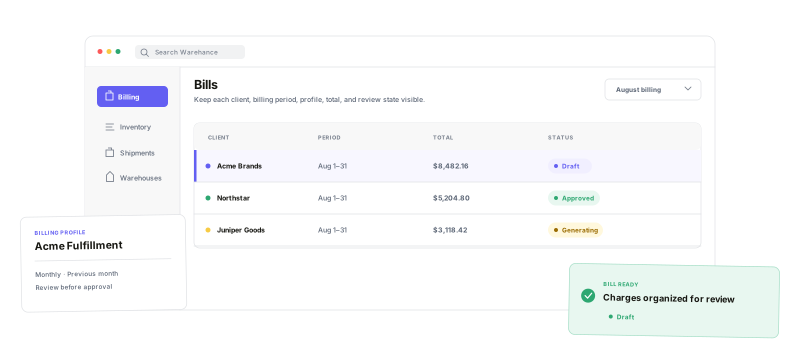
Keep client pricing logic, charge detail, exceptions, and billing cadence connected to the work that produced them.
Client billing profiles
Organize charge rules and bill settings in a reusable profile.
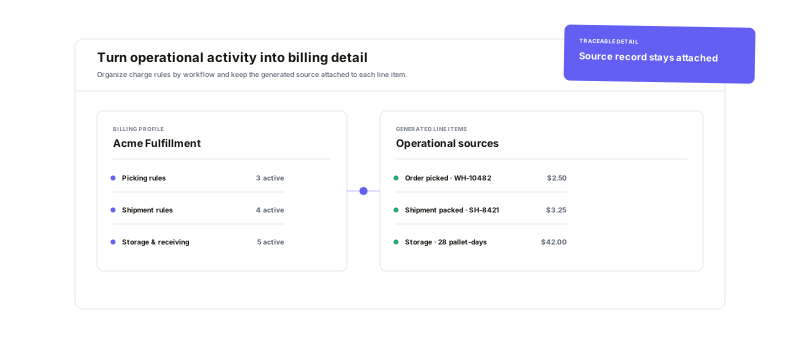
Operational charge detail
Generate traceable line items across fulfillment categories.
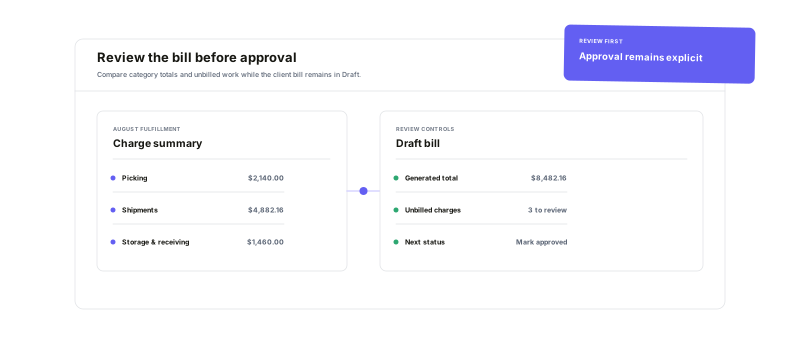
Draft-first review
Inspect totals, errors, and unbilled work before approval.
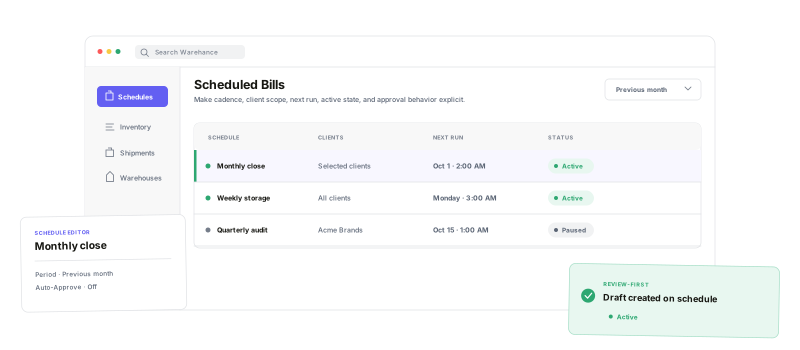
Controlled bill schedules
Choose the clients, cadence, billing period, and approval behavior.
Capture the workbehind every charge
Use Billing Charge Rules to evaluate picking, storage, shipping, returns, receiving, kitting, recurring fees, and other supported work for the selected client and period. Add one-time Ad Hoc Charges when a special service falls outside the usual rules, and keep each generated line item tied to its billing context.
See the billbefore you approve it
Review charges by category, inspect line items and Charge Rule totals, and check order-level statistics without flattening the operational detail into one number. Errors and unbilled work stay visible, the bill can remain Draft while the team investigates, and successful generation makes line-item, invoice, and order-breakdown downloads available.
Run each billing cyclewith the right controls
Tie a schedule to one Billing Profile, choose all clients or a selected group, and define both when it runs and the period it covers. Leave Auto-Approve off for a review-first process, or enable it when successfully generated scheduled bills should move straight to Approved.
3PL billing questions
Put the next billing period on one operational workflow
Start running your warehouse operations with Warehance today and experience complete freedom to grow your business without compromise.
